
Description
-
Model List:
- Electronic-Key adapter with serial Interface Type EKS SERIAL
- 1. Pdg_647479EN
- 2. eks serial manual
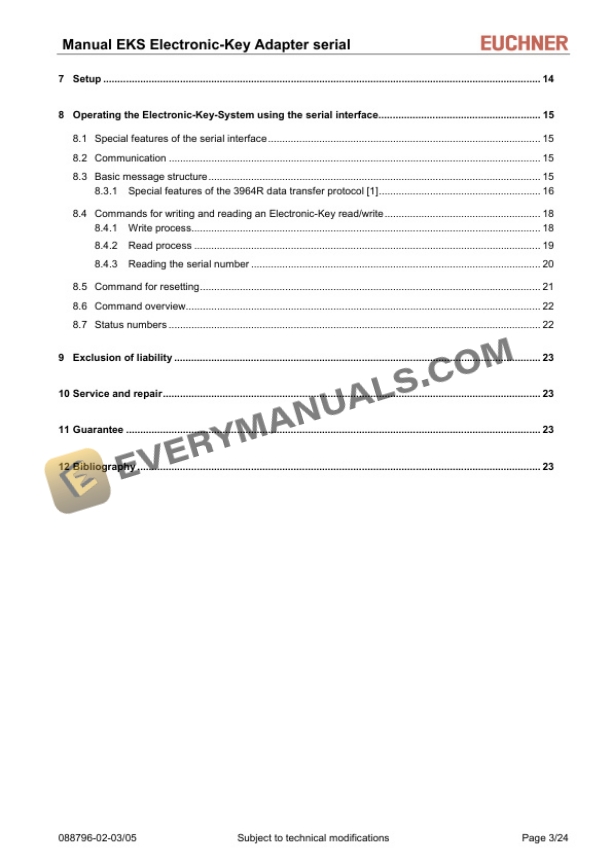
- 2.1. Table of contents
- 2.2. General notes
- 2.2.1. Use of the manual
- 2.2.2. CE conformity
- 2.2.3. Approvals
- 2.2.4. Correct use
- 2.2.5. Incorrect use
- 2.2.6. Obligations on the operating organization
- 2.2.7. Explanation of symbols
- 2.2.8. Abbreviations
- 2.3. Safety precautions
- 2.4. Function
- 2.4.1. Functional description
- 2.5. Technical data
- 2.5.1. Dimension drawing, ElectronicKey adapter/front panel cutout
- 2.5.2. Technical data, ElectronicKey adapter
- 2.5.3. Pin assignment
- 2.5.3.1. Serial interface socket
- 2.5.3.2. Power supply and Out signal 24 V screw terminals
- 2.5.4. DIP switch settings
- 2.5.5. OUT output
- 2.5.6. LED display
- 2.6. Mounting
- 2.7. Electrical connection
- 2.7.1. Connection of power supply
- 2.7.2. Connection of function earth
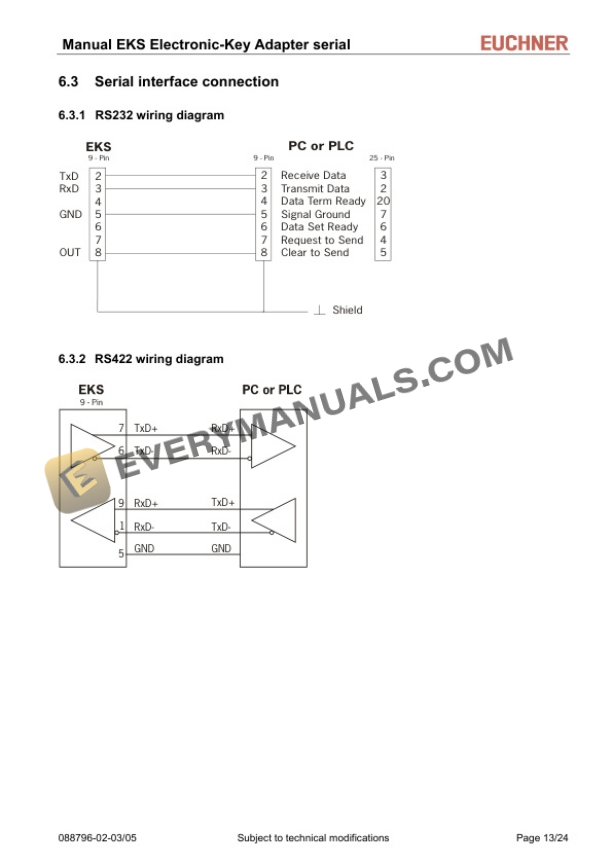
- 2.7.3. Serial interface connection
- 2.7.3.1. RS232 wiring diagram
- 2.7.3.2. RS422 wiring diagram
- 2.8. Setup
- 2.9. Operating the ElectronicKeySystem using the serial interface
- 2.9.1. Special features of the serial interface
- 2.9.2. Communication
- 2.9.3. Basic message structure
- 2.9.3.1. Special features of the 3964R data transfer protocol 1
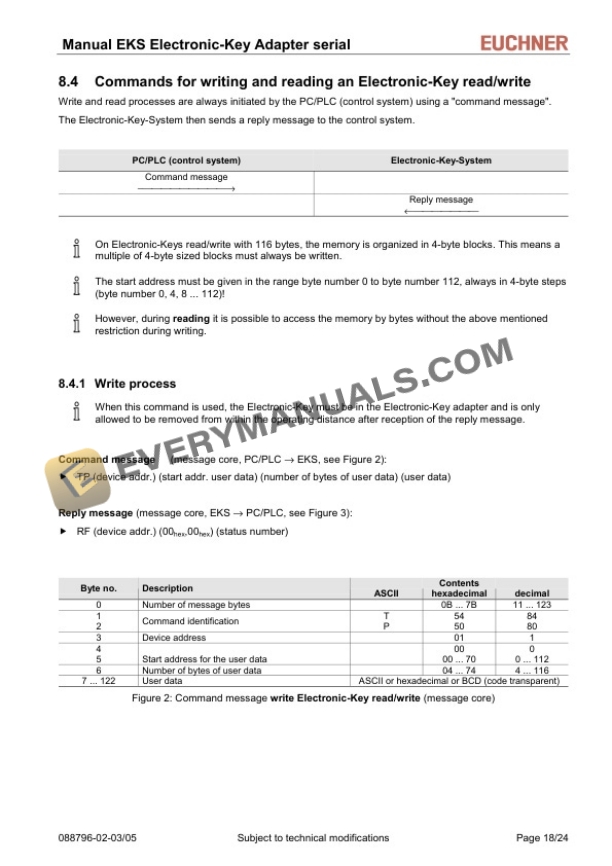
- 2.9.4. Commands for writing and reading an ElectronicKey read/write
- 2.9.4.1. Write process
- 2.9.4.2. Read process
- 2.9.4.3. Reading the serial number
- 2.9.5. Command for resetting
- 2.9.6. Command overview
- 2.9.7. Status numbers
- 2.10. Exclusion of liability
- 2.11. Service and repair
- 2.12. Guarantee
- 2.13. Bibliography