Description
-
Model List:
- Harvest Identification, Cotton
- 1. Introduction
- 1.1. John Deere Technical Information Bookstore
- 1.2. Foreword
- 1.3. Recognize Safety Information
- 1.4. Understand Signal Words
- 1.5. Follow Safety Instructions
- 1.6. Practice Safe Maintenance
- 1.7. Use Steps and Handholds Correctly
- 1.8. Handle Electronic Components and Brackets Safely
- 1.9. Avoid Exposure to High Radio Frequency Fields
- 2. Regulatory and Compliance Information
- 2.1. Notifications to User
- 2.2. FCC Notifications to User
- 2.2.1. John Deere RFID Reader
- 2.2.2. John Deere RFID Reader
- 3. System Overview
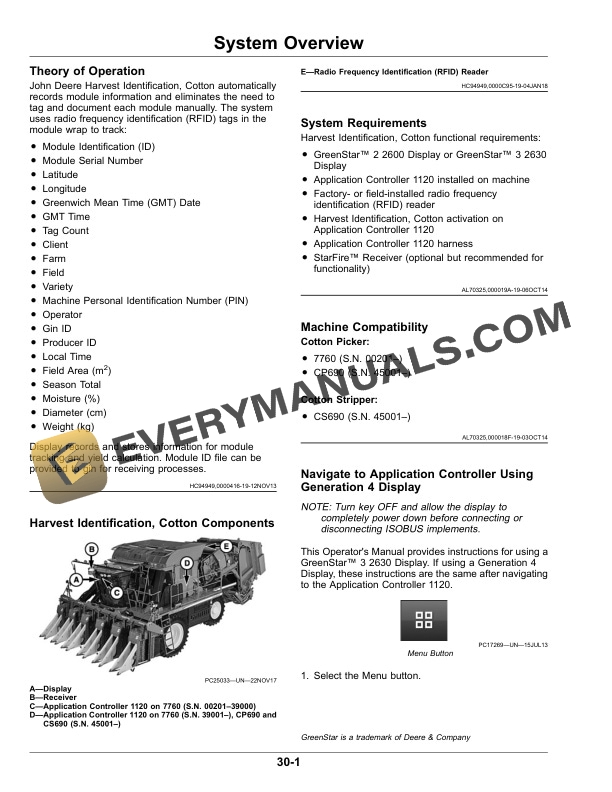
- 3.1. Theory of Operation
- 3.2. Harvest Identification, Cotton Components
- 3.3. System Requirements
- 3.4. Machine Compatibility
- 3.5. Navigate to Application Controller Using Generation 4 Display
- 3.6. Activate Harvest Identification, Cotton
- 4. Component Overview
- 4.1. GreenStar Display or Generation 4 Display
- 4.2. RFID Reader
- 5. Setting Up
- 5.1. Setup Requirements
- 5.2. Update Language
- 5.3. Set Up Baud Rate
- 5.4. Set Up GreenStar 2 2600 Display and GreenStar 3 2630 Display Without Harvest Doc
- 5.5. Set Up GreenStar 3 2630 Display With Harvest Doc
- 5.6. Set Up Harvest Identification, Cotton With No Data Entered
- 5.7. Set Up Harvest Identification, Cotton on Home Page
- 5.8. Set Up Wireless Data Transfer Send Time
- 6. Operating
- 6.1. View Harvest Identification, Cotton Information
- 6.2. Export Module ID File
- 6.3. Access Module ID File
- 6.4. Convert Text to MICROSOFT Excel
- 6.5. Delete Current Module ID File From Display
- 7. Troubleshooting
- 7.1. Troubleshooting
- 8. John Deere Service Literature Available
- 8.1. Technical Information
- 9. John Deere Service Keeps You on The Job
- 9.1. John Deere Is At Your Service