Description
-
Model List:
- Mobile RTK
- 1. Contents
- 1.0.1. Recognize Safety Information
- 1.0.2. Understand Signal Words
- 1.0.3. Follow Safety Instructions
- 1.0.4. Practice Safe Maintenance
- 1.0.5. Use Steps and Handholds Correctly
- 1.0.6. Handle Electronic Components and Brackets Safely
- 1.0.7. Use Electronic Display Properly
- 1.0.8. Prevent Electrical Shock and Fires
- 1.0.9. Avoid Exposure to High Radio Frequency Fields
- 1.0.10. Avoid Electrical Power Lines
- 1.0.11. Waste Electrical and Electronic Equipment
- 1.1. Overview
- 1.1.1. Theory of Operation
- 1.1.2. John Deere Mobile RTK Requirements
- 1.1.3. Activations
- 1.1.4. Cellular Network and RTK Correction Data Providers
- 1.1.5. John Deere Mobile RTK Setup Data Checklist
- 1.2. John Deere Mobile RTK
- 1.2.1. Mobile RTK Softkey
- 1.2.2. Mobile RTK Page
- 1.2.3. MRTK Port Configuration
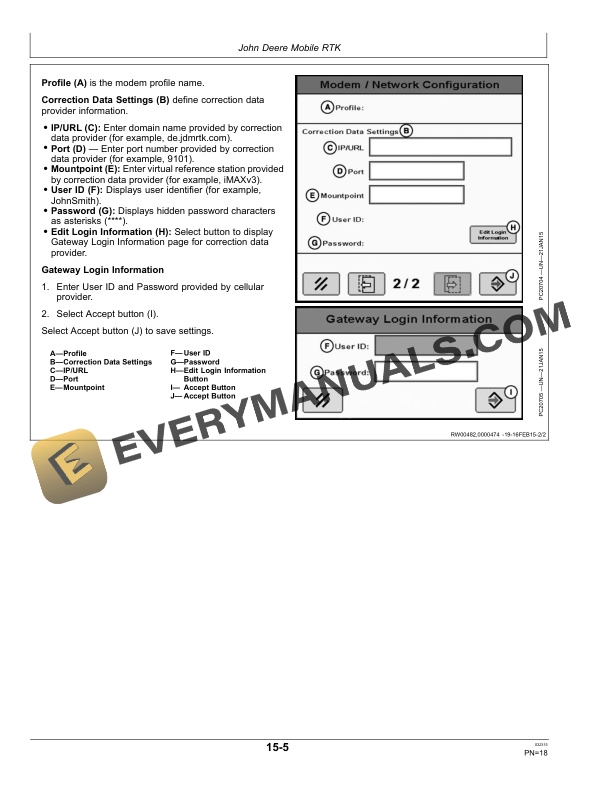
- 1.2.4. Modem/Network Configuration
- 1.3. StarFire 3000
- 1.3.1. Optimize Shading and SF2 Fallback
- 1.3.2. Readings Tab
- 1.4. Configuration and Diagnostic Tool
- 1.4.1. Configuration and Diagnostic Tool Installation
- 1.4.2. Connect Mobile RTK Modem to Personal Computer
- 1.4.3. Configure Mobile RTK Modem (Not Connected)
- 1.4.4. Configure Mobile RTK Modem (Connected)
- 1.4.5. Dialin Test Mobile RTK Modem
- 1.4.6. Advanced Settings
- 1.5. Troubleshooting
- 1.5.1. Electromagnetic Interference (EMI)
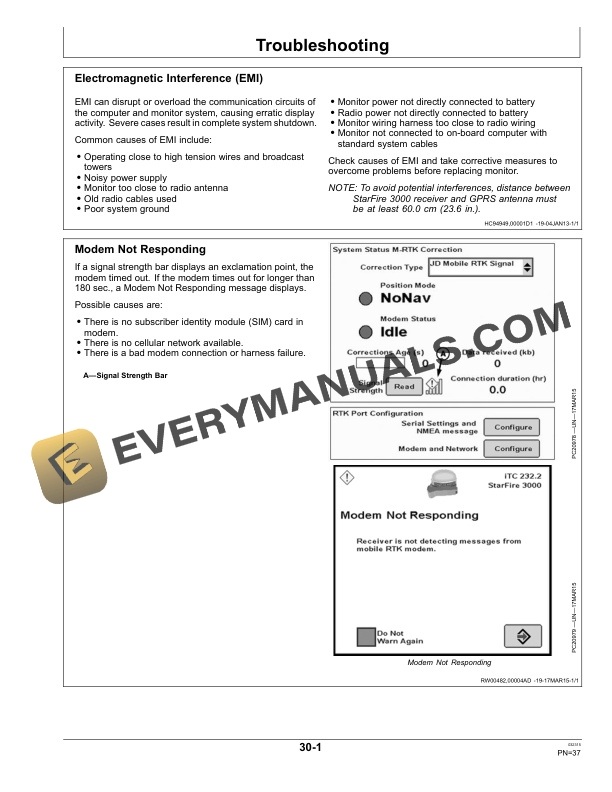
- 1.5.2. Modem Not Responding
- 1.5.3. Troubleshooting
- 1.5.4. Troubleshooting John Deere Mobile RTK Modem
- 1.5.5. Troubleshoot John Deere Mobile RTK
- 1.6. Specifications
- 1.6.1. EC Declaration of Conformity
- 1.7. Serial Numbers
- 1.7.1. Identification Label
- 1.7.2. John Deere Mobile RTK Modem
- 1.8. John Deere Service Keeps You On The Job
- 1.8.1. John Deere Parts
- 1.8.2. The Right Tools
- 1.8.3. WellTrained Technicians
- 1.8.4. Prompt Service
- 2. Page Number
- 2.1. Section 05
- 2.2. Section 10
- 2.3. Section 15
- 2.4. Section 20
- 2.5. Section 25
- 2.6. Section 30
- 2.7. Section 35
- 2.8. Section 40