Description
-
Model List:
- GoHarvest Premium Combine Simulator
- 1. Contents
- 1.0.1. Recognize Safety Information
- 1.0.2. Understand Signal Words
- 1.0.3. Follow Safety Instructions
- 1.0.4. Use Seat Belts
- 1.0.5. Automatic Guidance System Detected
- 1.0.6. Pluggable Equipment
- 1.1. Operating the Simulator
- 1.1.1. Combine Simulator Operation
- 1.1.2. Running the Software
- 1.1.3. Defining User Accounts
- 1.1.4. Lessons Screen
- 1.1.5. Data Screen
- 1.1.6. Plots Screen
- 1.1.7. Scores Screen
- 1.1.8. Help Screen
- 1.1.9. Training Simulator
- 1.1.10. Simulator Display
- 1.1.11. Actions Required to Start a Lesson
- 1.1.12. Lesson Introduction
- 1.1.13. Lesson Steps
- 1.1.14. Responding to Multiple Choice Questions
- 1.1.15. Skipping a Step
- 1.1.16. Displaying Previous Steps
- 1.1.17. Bookmarks
- 1.1.18. Series of Actions
- 1.1.19. Scoring
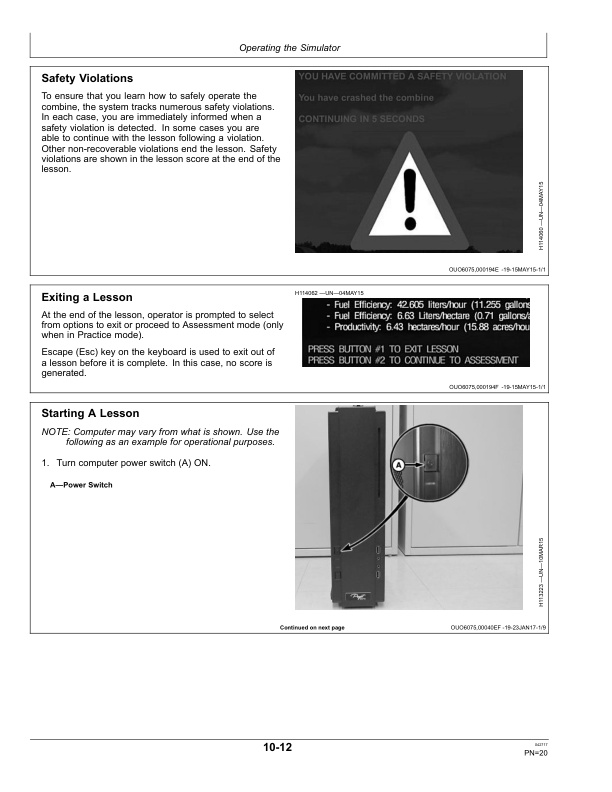
- 1.1.20. Safety Violations
- 1.1.21. Exiting a Lesson
- 1.1.22. Starting A Lesson
- 1.1.23. Lesson Layouts
- 1.1.24. Lesson 1 Operator Knowledge Transport Controls
- 1.1.25. Lesson 2 Maneuvering
- 1.1.26. Lesson 3A Attaching/Detaching A Header
- 1.1.27. Lesson 3B Basic Harvesting
- 1.1.28. Lesson 4 Intermediate Harvesting
- 1.1.29. Lesson 5A Operator Knowledge Harvester Setup
- 1.1.30. Lesson 5B Advanced Harvesting
- 1.1.31. Lesson 6A Operator Knowledge Ag Management Solutions (AMS) Systems
- 1.1.32. Lesson 6B Machine Intelligence
- 1.1.33. Lesson 7 Optimization
- 1.1.34. Display Configuration
- 1.1.35. Connect Wireless Network
- 1.1.36. TeamViewer Support
- 1.1.37. Service ADVISOR Diagnostic Connector Location
- 1.2. Troubleshooting
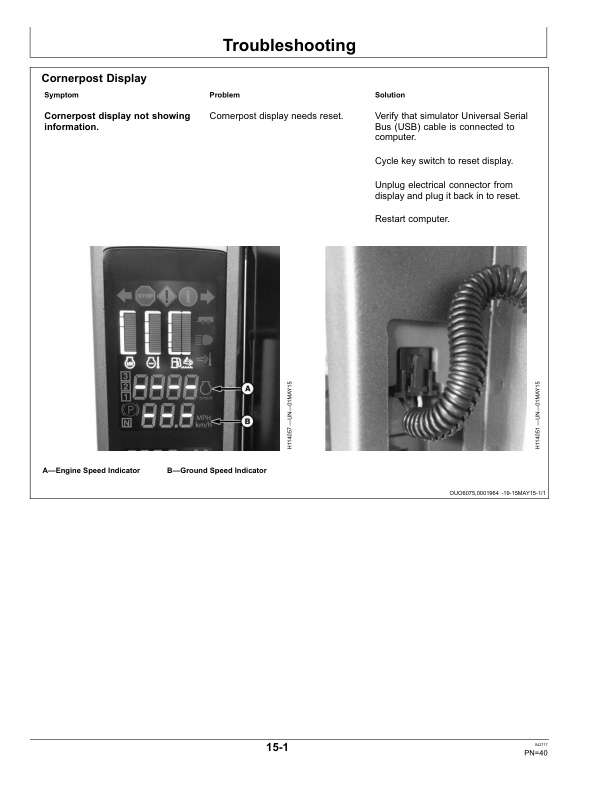
- 1.2.1. Cornerpost Display
- 1.2.2. Cornerpost Display or GreenStar 3 2630 Display
- 1.2.3. Controllers
- 1.2.4. Power Supply or Vector CAN
- 1.2.5. Display Screen Configuration
- 1.2.6. Software Protection Key Adapter
- 1.2.7. Actions Required to Start a Lesson
- 1.2.8. Turning At End Of Field
- 1.2.9. Header Alignment
- 1.2.10. Simulator Displays
- 1.2.11. Header Height Position
- 1.2.12. Simulation Manager Screen
- 1.2.13. Wireless Keyboard and Wireless Mouse
- 1.3. Specifications
- 1.3.1. Simulator Specifications
- 1.3.2. Dimensions
- 1.3.3. Federal Communications Commission (FCC) Statement
- 1.3.4. Electromagnetic Compatibility (EMC)
- 1.3.5. EU Declaration of Conformity
- 1.3.6. Eurasian Economic Union
- 1.3.7. Identify Date Code (GreenStar 3 2630 Display)
- 1.3.8. Identify Date Code (GoHarvest Premium Combine Simulator)
- 1.4. Product Identification Numbers
- 1.4.1. Product Identification Numbers
- 1.4.2. Product Identification Plate
- 1.4.3. Product Identification Plate Location
- 1.5. John Deere Service Literature Available
- 1.5.1. Technical Information
- 1.6. John Deere Service Keeps You On The Job
- 1.6.1. John Deere Parts
- 1.6.2. The Right Tools
- 1.6.3. WellTrained Technicians
- 1.6.4. Prompt Service
- 2. Page Number
- 2.1. Section 05
- 2.2. Section 10
- 2.3. Section 15
- 2.4. Section 20
- 2.5. Section 25