Description
-
Model List:
- 408R Self-Propelled Sprayer
- 410R Self-Propelled Sprayer
- 412R Self-Propelled Sprayer
- 612R Self-Propelled Sprayer
- 616R Self-Propelled Sprayer
- 1. Introduction
- 1.1. Foreword
- 1.2. Recognize Safety Information
- 1.3. Understand Signal Words
- 1.4. Follow Safety Instructions
- 1.5. Spanish Safety Signs and Operators Manual
- 1.6. Prepare for Emergencies
- 1.7. Wear Protective Clothing
- 1.8. Protect Against Noise
- 1.9. Practice Safe Maintenance
- 1.10. Handle Electronic Components and Brackets Safely
- 1.11. Park Machine Safely
- 1.12. Avoid HighPressure Fluids
- 1.13. Check Hydraulic Hoses
- 1.14. Decommissioning Proper Recycling and Disposal of Fluids and Components
- 1.15. Handle Chemical Products Safely
- 1.16. Service Spray Equipment Safely
- 1.17. Use Proper Tools
- 1.18. Work In Ventilated Area
- 1.19. Handling Batteries Safely
- 1.20. Service Accumulator Systems Safely
- 1.21. Using Compressed Air For Cleaning
- 1.22. Operator Ability
- 1.23. Working Area
- 1.24. Operate Safely
- 1.25. Use Safety Lights and Devices
- 1.26. Keep Riders Off Machine
- 1.27. Machine fitted with Instructional Seat
- 1.28. Use Seat Belt Properly
- 1.29. Use Caution On Hillsides
- 1.30. Transport and Operate Safely
- 1.31. Prevent Machine Runaway
- 1.32. Handle Agricultural Chemicals Safely
- 1.33. Avoid Exposure To Chemicals
- 1.34. Clean Vehicle of Hazardous Chemicals, Including Pesticides
- 1.35. NonPermissible Use
- 2. Safety Signs
- 2.1. Replace Safety Signs
- 3. CommandCenter Display Information
- 3.1. Generation 4 Display
- 4. See Spray Application
- 4.1. Access See Spray Application
- 4.2. See Spray Main Page
- 4.3. Nozzle Turret Manual Setup
- 4.4. Spray Setup
- 4.5. Fallback Mode and Trigger
- 4.6. Nozzle Coverage
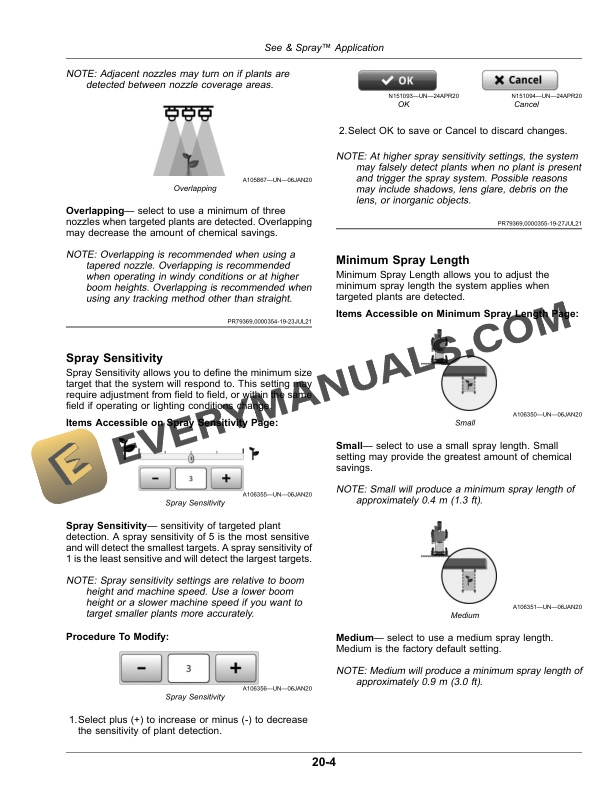
- 4.7. Spray Sensitivity
- 4.8. Minimum Spray Length
- 4.9. See Spray Image Processor/Camera
- 4.10. See Spray Video
- 4.11. See Spray Diagnostics Diagnostic History
- 4.12. See Spray Calibrations and Procedures
- 5. Component Identification
- 5.1. See Spray Select Components
- 6. Calibration
- 6.1. Calibrate System
- 6.1.1. Verify BoomTrac Pro 2 Sensor Settings
- 6.1.2. Prepare to Calibrate See Spray Select System
- 6.1.3. Start Calibration Procedure
- 6.2. See Spray Detection
- 6.3. See Spray Detection Procedure
- 7. System Overview
- 7.1. See Spray Select Nozzle Control System
- 7.2. Trigger Level and Fallback Mode
- 7.3. Confidence Levels
- 7.3.1. Optimal Boom Height
- 7.3.2. Optimal Nozzle Speed
- 7.3.3. Optimal Camera Health
- 7.4. Spray Sensitivity
- 7.5. Nozzle Coverage
- 7.6. Minimum Spray Length
- 7.7. Performance Related Alerts
- 8. Operate See Spray Select
- 8.1. Service and Operate Chemical Sprayers Safely
- 8.2. Avoid Exposure To Chemicals
- 8.3. Setup Spray Method and Application Rates
- 8.3.1. Available Spray Methods
- 8.3.2. Nozzle Turret Orientation
- 8.3.3. Orifice Valve Orientation
- 8.3.4. Determine Nozzle Tip Sizes
- 8.3.5. Desired Application Rate
- 8.4. Machine and Display Application Setup
- 8.5. Operate Machine
- 9. Maintenance
- 9.1. Service Spray Equipment Safely
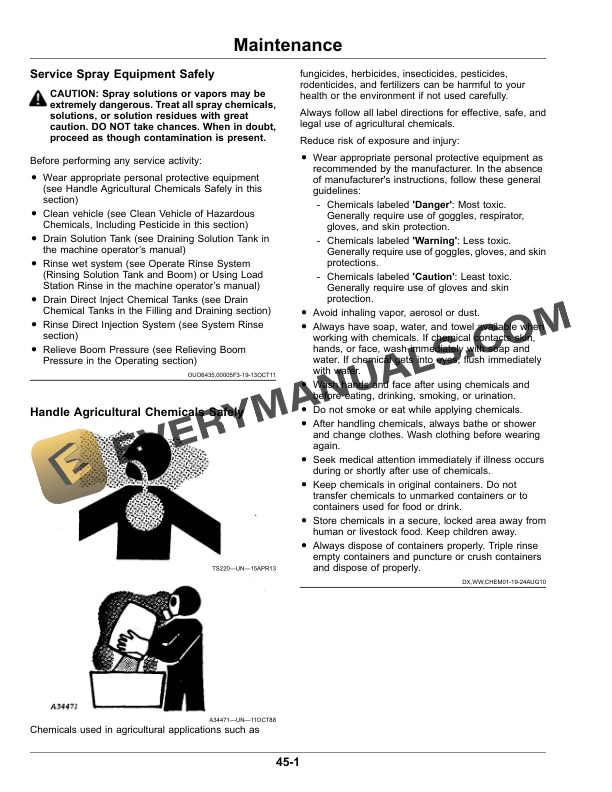
- 9.2. Handle Agricultural Chemicals Safely
- 9.3. Clean Vehicle of Hazardous Chemicals, Including Pesticides
- 9.4. Replace Fuses
- 9.5. Replace Cameras
- 9.6. Component Cleaning ProcedureDaily and as Required
- 9.6.1. Camera Lenses
- 9.6.2. Vision Spray Modules
- 9.7. Nozzle Alignment
- 10. Storage
- 10.1. Service and Operate Chemical Sprayers Safely
- 10.2. Avoid Exposure To Chemicals
- 10.3. Clean Vehicle of Hazardous Chemicals, Including Pesticides
- 10.4. Recommended Cleaners and Coatings
- 10.5. Check Ethernet Switches and Vision Spray Modules
- 11. Regulatory and Compliance Information
- 11.1. SOFTWARE TERMS AND CONDITIONS
- 11.2. License Agreement For John Deere Image Processing Module Software
- 11.3. Federal Communications Commission Notifications to User
- 11.3.1. Modular Telematics Gateway 4G LTE and Satellite Module
- 11.4. Federal Communications Commission Notifications to User
- 11.4.1. Ethernet Switch
- 11.5. ThirdParty Software Notifications and Licenses for Image Processing Module
- 11.6. The EC Declaration of Conformity applies only to machines which bear the CE mark EC Declaration of Conformity
- 12. John Deere Service Literature Available
- 12.1. Technical Information
- 13. John Deere Service Keeps You On The Job
- 13.1. John Deere Is At Your Service