Description
-
Model List:
- AutoTrac RowSense and AutoTrac Vision – Self-Propelled Sprayers
- 1. Introduction
- 1.1. Foreword
- 1.2. Read This Manual
- 1.3. John Deere Technical Information Bookstore
- 1.4. Recognize Safety Information
- 1.5. Understand Signal Words
- 1.6. Follow Safety Instructions
- 1.7. Practice Safe Maintenance
- 1.8. Use Steps and Handholds Correctly
- 1.9. Handle Electronic Components and Brackets Safely
- 1.10. Use Electronic Display Properly
- 1.11. Operate Guidance Systems Safely
- 1.12. Use Seat Belt Properly
- 1.13. Avoid Backover Accidents
- 2. Safety Signs
- 2.1. Safety WarningAutoTrac Detected
- 3. Regulatory and Compliance Information
- 3.1. Federal Communications Commission Notifications to User
- 3.2. Identify Date Code
- 3.3. Identify Date Code
- 3.4. EU Declaration of Conformity
- 3.5. EU Declaration of Conformity
- 3.6. Eurasian Economic Union
- 3.7. UK Declaration of Conformity
- 4. System Overview
- 4.1. AutoTrac Vision Theory of Operation
- 4.2. AutoTrac RowSense Theory of Operation
- 4.3. Tramlines
- 4.4. Machine Compatibility
- 4.5. AutoTrac Accuracy
- 5. Assembly
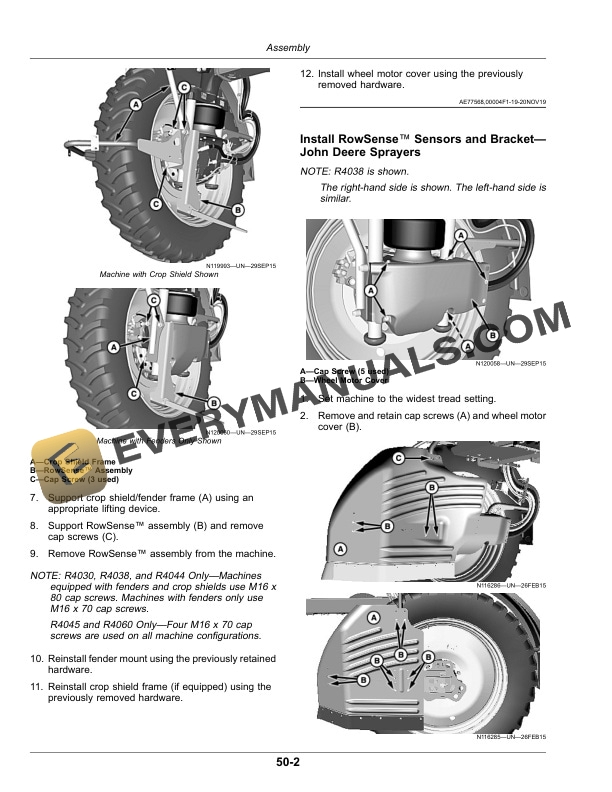
- 5.1. Remove RowSense Sensors and BracketJohn Deere Sprayers
- 5.2. Install RowSense Sensors and BracketJohn Deere Sprayers
- 5.3. Remove RowSense Sensors and BracketHagie Sprayers
- 5.4. Install RowSense Sensors and BracketHagie Sprayers
- 5.5. Remove RowSense Sensors and BracketHagie STS Sprayers (S.N. 022001)
- 5.6. Install RowSense Sensors and BracketHagie STS Sprayers (S.N. 022001)
- 6. Setting Up
- 6.1. Set Up AutoTrac
- 6.1.1. AutoTrac Status Pie
- 6.1.2. Steering Sensitivity
- 6.2. Set Up Tread Width for AutoTrac RowSense
- 6.3. Set Up GreenStar 3 2630 Display
- 7. Setting UpAutoTrac Vision
- 7.1. GreenStar 3 2630 DisplayCalibrate Vision Camera
- 7.2. GreenStar 3 2630 DisplaySet Up AutoTrac Vision
- 7.3. Generation 4 DisplayCalibrate Vision Camera
- 7.4. Generation 4 DisplaySet Up AutoTrac Vision
- 8. Setting UpAutoTrac RowSense
- 8.1. GreenStar 3 2630 DisplaySet Up AutoTrac RowSense
- 8.2. Generation 4 DisplaySet Up AutoTrac RowSense
- 9. Operating
- 9.1. AutoTrac Vision Overlay
- 9.2. AutoTrac RowSense Status Icons
- 9.3. Enable AutoTrac
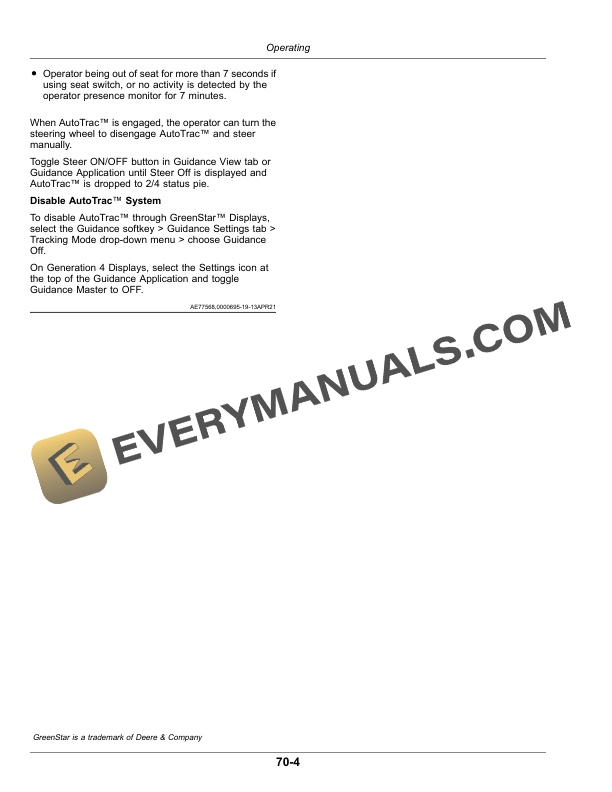
- 9.4. Disable AutoTrac When Not in Use
- 9.5. Engage System
- 9.6. Operate AutoTrac Vision and AutoTrac RowSense
- 9.7. Disengage and Disable System
- 10. OperatingOptimizing AutoTrac
- 10.1. Advanced AutoTrac SettingsGreenStar 3 2630 Display
- 10.2. Optimize AutoTrac Performance
- 10.3. Hagie Recommended Advanced AutoTrac Settings
- 10.4. Record AutoTrac Settings
- 11. Troubleshooting
- 11.1. AutoTrac Vision Camera
- 11.2. AutoTrac Vision Performance
- 11.3. AutoTrac Status Indicator
- 11.4. AutoTrac RowSense Performance
- 11.5. AutoTrac RowSense Sensor
- 11.6. Diagnostic Readings
- 12. Maintenance
- 12.1. Preseason Checklist
- 12.2. Postseason Checklist
- 12.3. Daily Checklist
- 12.4. Clean AutoTrac Vision Camera
- 12.5. Clean AutoTrac RowSense Sensor
- 13. John Deere Service Literature Available
- 13.1. Technical Information
- 14. John Deere Service Keeps You on The Job
- 14.1. John Deere Is At Your Service