
Description
-
Model List:
- Central Insecticide System
- 1. Contents
- 1.0.1. Recognize Safety Information
- 1.0.2. Follow Safety Instructions
- 1.0.3. Understand Signal Words
- 1.0.4. Wear Protective Clothing
- 1.0.5. Work In Ventilated Area
- 1.0.6. Live With Safety
- 1.0.7. Service Machines Safely
- 1.0.8. Keep Riders Off Machine
- 1.0.9. Practice Safe Maintenance
- 1.0.10. Handle Agricultural Chemicals Safely
- 1.0.11. Service and Operate Chemical Sprayers Safely
- 1.0.12. Clean Vehicle of Hazardous Pesticides
- 1.0.13. Avoid HighPressure Fluids
- 1.0.14. Protect Against High Pressure Spray
- 1.0.15. Dispose of Waste Properly
- 1.0.16. Safety Signs
- 1.1. Basic Monitor and System Operation
- 1.1.1. Introduction
- 1.1.2. Approved Chemical Use
- 1.1.3. Basic System Operation
- 1.1.4. Basic Display Console Overview
- 1.2. Monitor SETUP
- 1.2.1. Console Programming Introduction
- 1.2.2. Section Control Valve Diagrams
- 1.2.3. Monitor Setup
- 1.2.4. Meter Calibration
- 1.2.5. Enter Carrier Tank Volume and Low Level Alarm Values
- 1.2.6. Enter Chemical Cabinet Volume and Low Tank Level Alarm Values
- 1.3. Monitor Operation
- 1.3.1. Basic Monitor Operation
- 1.3.2. Chemical Injection Pump Warning, Read This First
- 1.3.3. Data Menu Selections
- 1.3.4. Serial Menu Selections
- 1.3.5. Product Menu Selections
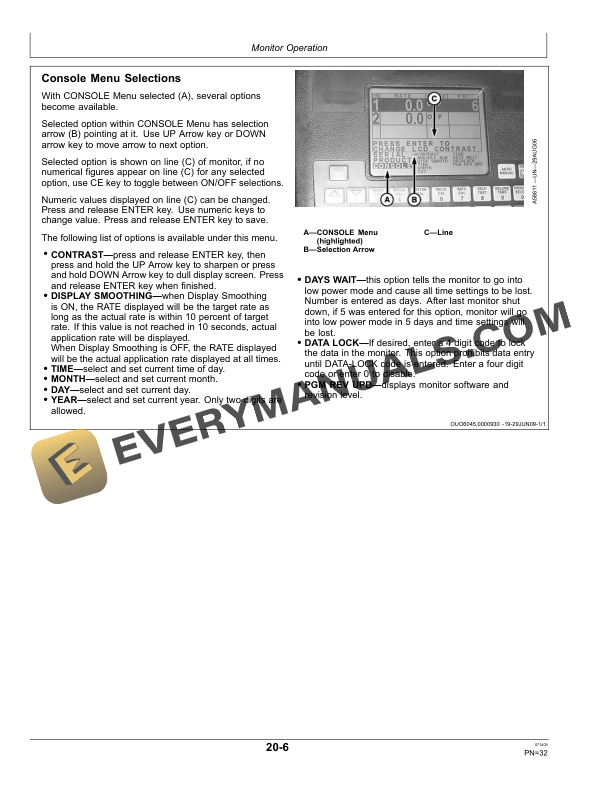
- 1.3.6. Console Menu Selections
- 1.3.7. Decimal Point Shift
- 1.3.8. Alarm Definition
- 1.3.9. Switch 12 and 16 Row Machines From ALL ROWS to REFUGE ROWS on 17
- 1.3.10. Switch 12 and 16 Row Machines From REFUGE ROWS to ALL ROWS on 17
- 1.3.11. Switch From ALL ROWS to REFUGE ROWS 1770NT 24 Row Only
- 1.3.12. Switch From REFUGE ROWS to ALL ROWS 1770NT 24 Row Only
- 1.3.13. Switch From ALL ROWS to REFUGE ROWS DB60, DB80, DB90 Planters
- 1.3.14. Switch From REFUGE ROWS to ALL ROWS DB60, DB80, DB90 Planters
- 1.3.15. Initial System SETUP
- 1.3.16. Initial Field Test of System
- 1.3.17. Operate Central Insecticide System
- 1.3.18. Adjust Screen Contrast
- 1.4. Monitor Calibration
- 1.4.1. Speed Calibration
- 1.4.2. Injection Pump Calibration
- 1.4.3. Calculate Valve Cal
- 1.4.4. Rate Calibration
- 1.4.5. Calibrate Pressure Transducer
- 1.5. Carrier Wet System
- 1.5.1. Carrier System Valves
- 1.5.2. Fill Carrier Tank
- 1.6. Chemical System
- 1.6.1. Install and Connect Chemical Containers
- 1.6.2. Plant Refuge Rows Option (Only)
- 1.7. Prime and Charge System
- 1.7.1. Prime Carrier Pump
- 1.7.2. Prime Injection Pump
- 1.7.3. Charge System
- 1.8. System Maintenance
- 1.8.1. Fuse Description and Location
- 1.8.2. Recommended System Cleaners And Coatings
- 1.8.3. Decontaminate Spray Equipment
- 1.8.4. Clean Carrier Tank Strainer
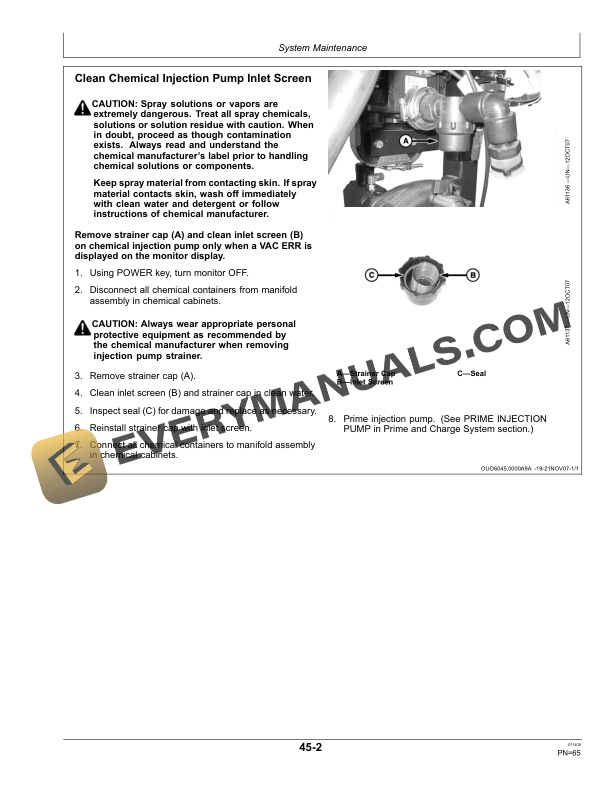
- 1.8.5. Clean Chemical Injection Pump Inlet Screen
- 1.8.6. Remove and Install Check Valves
- 1.8.7. Disassemble and Assemble Inlet Check Valve
- 1.8.8. Disassemble and Assemble Discharge Check Valve
- 1.8.9. Remove, Clean, and Install InLine Check Valve
- 1.8.10. Install Spray Nozzle Blank Caps
- 1.8.11. Spray Nozzle Calibration and Maintenance
- 1.8.12. Carrier System Clean Out
- 1.8.13. Injection Pump and System Clean Out (End of Season)
- 1.8.14. Injection Pump and System Winterization
- 1.8.15. Adjust Row Unit Switch
- 1.8.16. Remove and Replace Carrier Pump Inlet Check Valve
- 1.9. Troubleshoot
- 1.9.1. Monitor Display
- 1.9.2. Chemical Solution System
- 1.9.3. Carrier System
- 1.10. Specifications
- 1.10.1. Specifications
- 2. Page Number
- 2.1. Section 05
- 2.2. Section 10
- 2.3. Section 15
- 2.4. Section 20
- 2.5. Section 25
- 2.6. Section 30
- 2.7. Section 35
- 2.8. Section 40
- 2.9. Section 45
- 2.10. Section 50
- 2.11. Section 55




