Description
-
Model List:
- Power Flow For 54C Mower
- Power Flow For 54D Mower
- Power Flow For 62C Mower
- Power Flow For 62D Mower
- 1. Introduction
- 1.1. Using Your Operators Manual
- 2. Product Identification
- 2.1. Product Compatibility
- 2.2. Record Identification Numbers
- 3. Safety Labels
- 3.1. Understanding The Machine Safety Labels
- 3.2. Safety Label Location
- 3.3. WARNING M118454
- 3.3.1. Rotating Blade Thrown Objects
- 3.4. Read Safety in Machine Operators Manual
- 3.5. Operating Safely
- 3.5.1. Before bag removal or installation
- 3.5.2. Before backing up machine
- 3.5.3. Operate safely on slopes
- 3.5.4. Bag Maintenance
- 3.6. Parking Safely
- 3.7. Protect Children
- 3.8. Avoid Injury From Thrown Objects
- 3.9. Avoid Injury From Rotating Blades
- 3.10. Practice Safe Maintenance
- 4. Assembly
- 4.1. Identify Parts
- 4.2. Modify Mower Deck Belt Shield
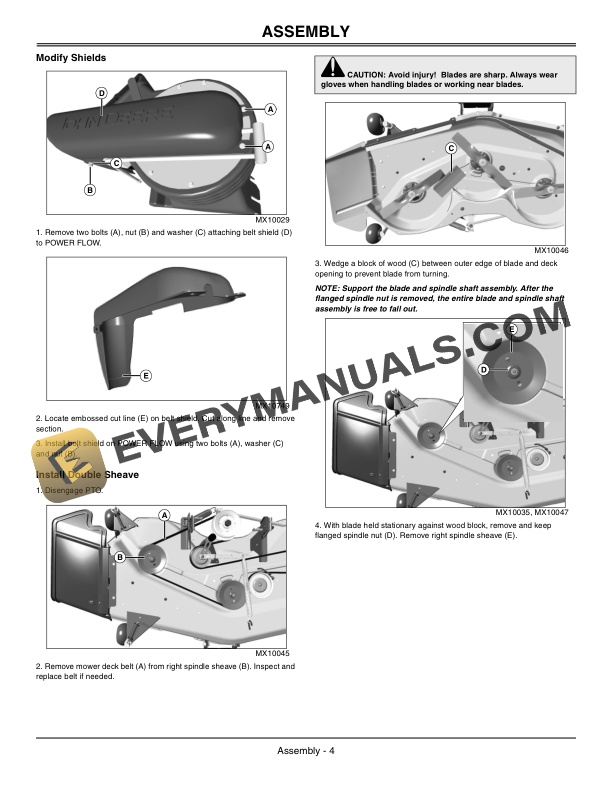
- 4.3. Modify Shields
- 4.4. Install Double Sheave
- 4.5. Install Rear Baffle Plate
- 4.5.1. Prepare Mower Deck
- 4.5.2. Install Plate
- 4.6. Install Gage Wheel Adjuster Pin
- 4.7. Install Front Mounting Bracket
- 4.8. Assemble And Install Deck Belt Shield
- 5. Preparing Vehicle
- 5.1. Remove Mulch Kit
- 5.2. Install Proper Mower Blades
- 6. Installing
- 6.1. Installing Power Flow (54C and 62C Mowers)
- 6.2. Installing Power Flow (54D and 62D Mowers)
- 6.3. Adjusting Mower Deck
- 7. Removing and Storing
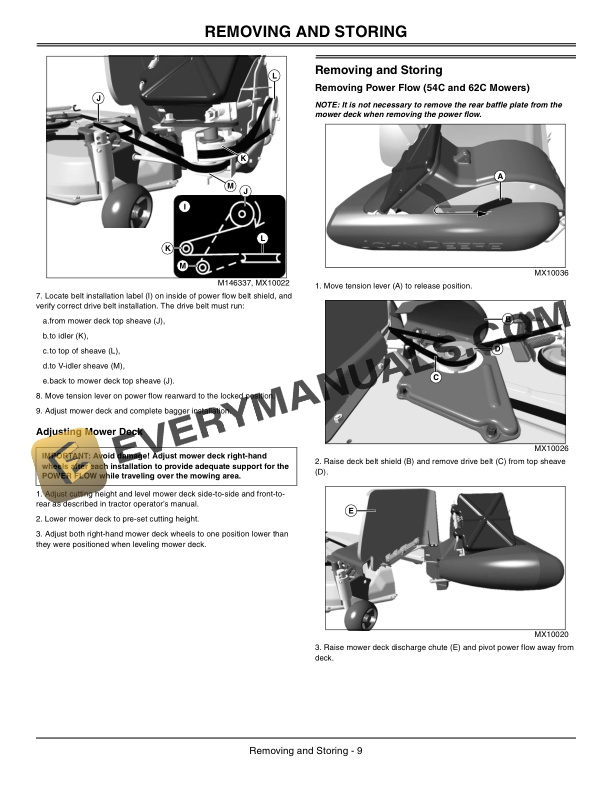
- 7.1. Removing Power Flow (54C and 62C Mowers)
- 7.2. Removing Power Flow (54D and 62D Mowers)
- 7.3. Storing Safety
- 7.4. Storing Attachment
- 8. Operating
- 8.1. Using the Blower Assembly
- 8.1.1. Starting Blower Assembly
- 8.1.2. Stopping Blower Assembly
- 8.2. Unplugging Mower, Bagger, Material Collection System
- 8.2.1. Checking For Plugging While Driving
- 8.2.2. Removing Debris From Inspection Points
- 9. Service
- 9.1. Removing Drive Belt
- 9.2. Installing Drive Belt
- 10. Troubleshooting
- 10.1. Using Troubleshooting Chart
- 11. Getting Quality Service
- 11.1. Service Literature
- 11.1.1. Order Service Parts Online
- 11.2. Part Numbers
- 11.3. John Deere Quality Continues with Quality Service