Description
-
Model List:
- SeedStar Mobile
- 1. Contents
- 1.0.1. Recognize Safety Information
- 1.0.2. Understand Signal Words
- 1.0.3. Follow Safety Instructions
- 1.0.4. Practice Safe Maintenance
- 1.0.5. Use Steps and Handholds Correctly
- 1.0.6. Handle Electronic Components and Brackets Safely
- 1.0.7. Use Electronic Display Properly
- 1.0.8. Prevent Electrical Shock and Fires
- 1.0.9. Avoid Exposure to High Radio Frequency Fields
- 1.1. Regulatory and Compliance Information
- 1.1.1. Federal Communications Commission (FCC) Notifications to User
- 1.1.2. Industry Canada Notifications to User
- 1.2. System Overview
- 1.2.1. Theory of Operation
- 1.2.2. Required Components
- 1.2.3. MyJohnDeere
- 1.2.4. Wireless Data Server Subscription
- 1.3. System OverviewSoftkey Legend
- 1.3.1. Wireless Data ServerMain Softkey
- 1.3.2. Wireless Data ServerSetup Softkey
- 1.3.3. Wireless Data ServerDiagnostics Softkey
- 1.4. Component Overview
- 1.4.1. Planter
- 1.4.2. StarFire Receiver
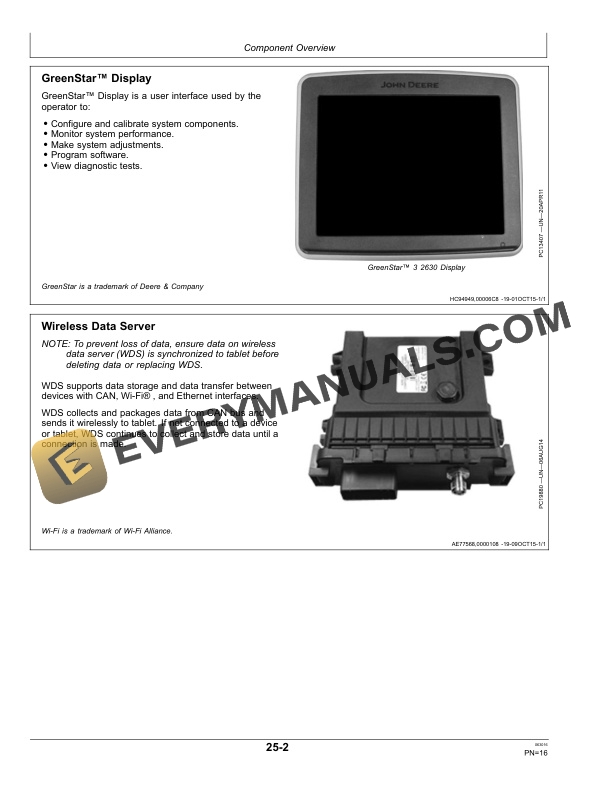
- 1.4.3. GreenStar Display
- 1.4.4. Wireless Data Server
- 1.4.5. Wireless Data Server Coaxial Cable and Antenna
- 1.4.6. Seed Controller
- 1.4.7. Junction Box
- 1.5. Setting UpGreenStar 3 2630 Display
- 1.5.1. SeedStar Mobile Setup
- 1.5.2. Download SeedStar Mobile Application
- 1.5.3. Configure Wireless Data Server
- 1.5.4. Connect Tablet to Wireless Data Server
- 1.5.5. Verify Subscription of Wireless Data Server
- 1.5.6. Set Up Display
- 1.5.7. Set Up Planter
- 1.6. Setting UpGeneration 4 Display
- 1.6.1. SeedStar Mobile Setup
- 1.6.2. Download SeedStar Mobile Application
- 1.6.3. Configure Wireless Data Server
- 1.6.4. Connect Tablet to Wireless Data Server
- 1.6.5. Verify Subscription of Wireless Data Server
- 1.6.6. Set Up Display
- 1.6.7. Set Up Planter
- 1.7. Operating
- 1.7.1. Operating SeedStar Mobile
- 1.7.2. Operate SeedStar Mobile
- 1.7.3. Navigate to Wireless Data Server Page
- 1.7.4. View Wireless Data Server Main Page
- 1.8. Managing Data On Wireless Data Server
- 1.8.1. Navigate to Wireless Data Server Page
- 1.8.2. Delete Data From Wireless Data Server
- 1.9. Updating Software
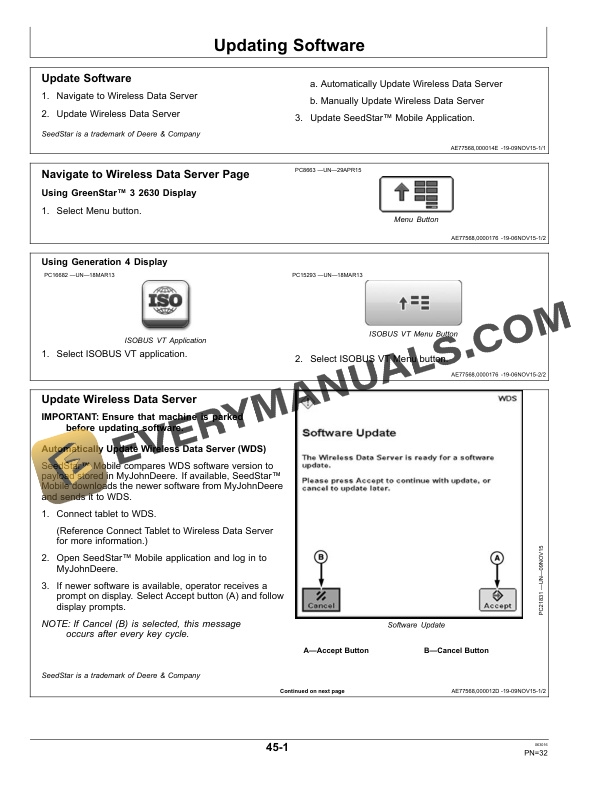
- 1.9.1. Update Software
- 1.9.2. Navigate to Wireless Data Server Page
- 1.9.3. Update Wireless Data Server
- 1.9.4. Update SeedStar Mobile Application
- 1.10. Resetting Wireless Password
- 1.10.1. Navigate to Wireless Data Server Page
- 1.10.2. Reset Wireless Password
- 1.11. Troubleshooting
- 1.11.1. Navigate to Wireless Data Server Page
- 1.11.2. Wireless Data Server Diagnostics
- 1.11.3. On Screen Help
- 1.11.4. Additional Support Material
- 1.11.5. TroubleshootingTablet
- 1.12. Maintenance
- 1.12.1. Preseason Checklist
- 1.12.2. Postseason Checklist
- 1.12.3. Daily Checklist
- 1.13. John Deere Service Literature Available
- 1.13.1. Technical Information
- 1.14. John Deere Service Keeps You On Job
- 1.14.1. John Deere Is At Your Service
- 2. Page Number
- 2.1. Section 05
- 2.2. Section 10
- 2.3. Section 15
- 2.4. Section 20
- 2.5. Section 25
- 2.6. Section 30A
- 2.7. Section 30B
- 2.8. Section 35
- 2.9. Section 40
- 2.10. Section 45
- 2.11. Section 50
- 2.12. Section 55
- 2.13. Section 60