Description
-
Model List:
- Surface Water Pro
- 1. Contents
- 1.0.1. Recognize Safety Information
- 1.0.2. Understand Signal Words
- 1.0.3. Follow Safety Instructions
- 1.0.4. Practice Safe Maintenance
- 1.0.5. Use Steps and Handholds Correctly
- 1.0.6. Handle Electronic Components and Brackets Safely
- 1.0.7. Use Electronic Display Properly
- 1.0.8. Operate Guidance Systems Safely
- 1.0.9. Use Seat Belt Properly
- 1.0.10. Operate Implement Automation Systems Safely
- 1.0.11. Avoid HighPressure Fluids
- 1.1. Introduction
- 1.1.1. Theory of Operation
- 1.1.2. Requirements
- 1.1.3. Activate Surface Water Pro
- 1.2. Softkey Legend
- 1.2.1. GreenStarEquipment Softkey
- 1.2.2. GreenStarResources Softkey
- 1.2.3. GreenStarMapping Softkey
- 1.2.4. GreenStarGuidance Softkey
- 1.2.5. StarFire ReceiverStarFire Softkey
- 1.2.6. StarFire ReceiverRTK Softkey
- 1.2.7. StarFire ReceiverSatellite Softkey
- 1.2.8. StarFire ReceiverDiagnostics Softkey
- 1.2.9. Application Controller 1100Main Softkey
- 1.2.10. Application Controller 1100Setup Softkey
- 1.3. System Components
- 1.3.1. GreenStar Display
- 1.3.2. StarFire Receiver
- 1.4. System Setup
- 1.4.1. Machine and Implement Setup
- 1.4.2. Set Up Machine and Implement
- 1.4.3. Enter Machine Information and Offsets
- 1.4.4. Enter Implement Information and Offsets
- 1.4.5. Set Up Shift Track
- 1.4.6. Set Up Global Position System (GPS) Receiver
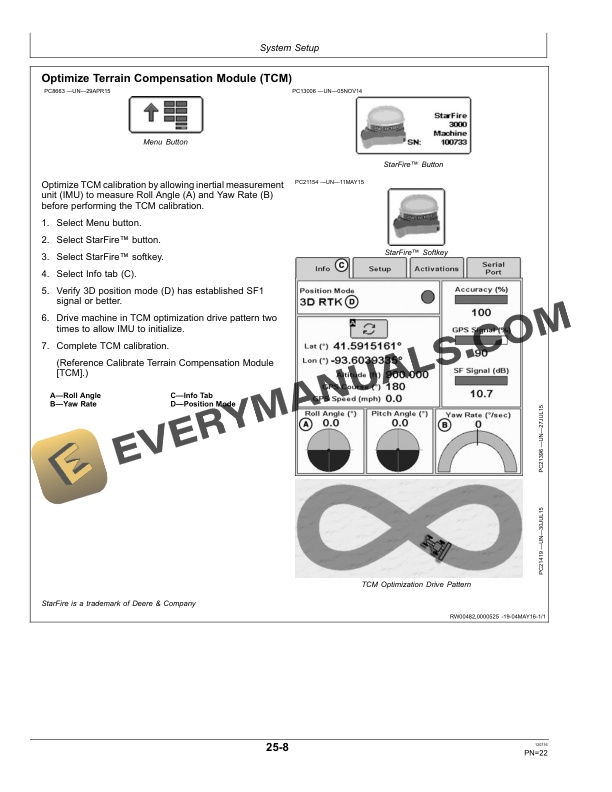
- 1.4.7. Optimize Terrain Compensation Module (TCM)
- 1.4.8. Calibrate Terrain Compensation Module (TCM)
- 1.5. Topography Maps
- 1.5.1. Surface Maps
- 1.5.2. Retrieve Elevation Maps
- 1.6. Survey Setup
- 1.6.1. Survey Setup
- 1.6.2. Client, Farm, Field, and Task Setup
- 1.6.3. Record an External Boundary
- 1.6.4. Set Up Survey Mode
- 1.6.5. Benchmark Settings
- 1.6.6. Creating a Benchmark Control Point
- 1.6.7. Calibrating to a Control Point
- 1.7. Survey Field
- 1.7.1. How to Survey a Field
- 1.7.2. Data Collection Drive Patterns
- 1.7.3. Survey Field
- 1.7.4. Set Up Ditch Operation
- 1.7.5. Set Tracking Mode to Ditch Track
- 1.7.6. Recorded Path for Ditching
- 1.7.7. Record Ditch Track
- 1.7.8. Create Linear Drain Design
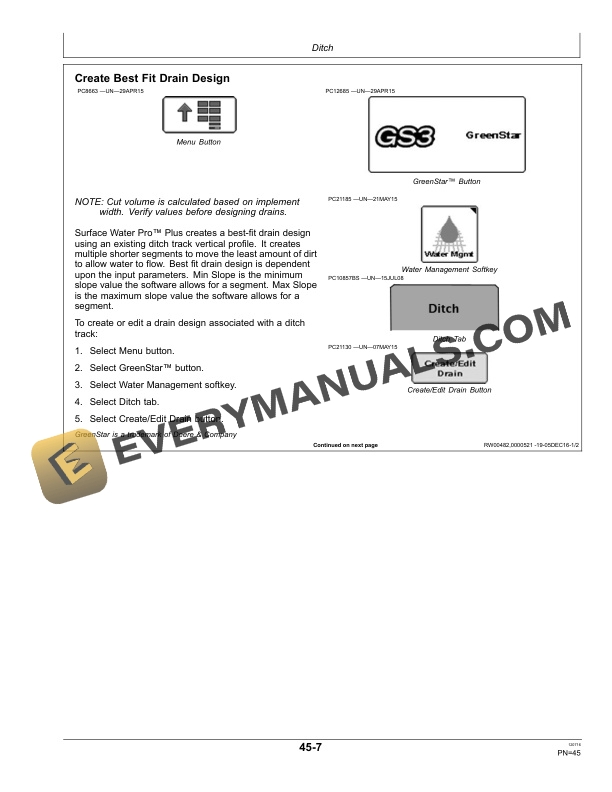
- 1.7.9. Create Best Fit Drain Design
- 1.7.10. Modify Ditch Track
- 1.7.11. View Drain Profile
- 1.7.12. Cut or Clean Ditch Track
- 1.7.13. Set Up Levee Operation
- 1.7.14. Set Tracking Mode to Levee Track
- 1.7.15. Set Up Drive Dial
- 1.7.16. Create Levee
- 1.8. Remote Control
- 1.8.1. Theory of Operation
- 1.8.2. Control Selection
- 1.8.3. Engaging Remote Control
- 1.8.4. Operation
- 1.9. Troubleshooting and Diagnostics
- 1.9.1. Diagnostic Readings
- 1.9.2. Troubleshooting
- 1.10. John Deere Service Literature Available
- 1.10.1. Technical Information
- 1.11. John Deere Service Keeps You on The Job
- 1.11.1. John Deere Is At Your Service
- 2. Page Number
- 2.1. Section 05
- 2.2. Section 10
- 2.3. Section 15
- 2.4. Section 20
- 2.5. Section 25
- 2.6. Section 30
- 2.7. Section 35
- 2.8. Section 40
- 2.9. Section 45
- 2.10. Section 50
- 2.11. Section 55
- 2.12. Section 60