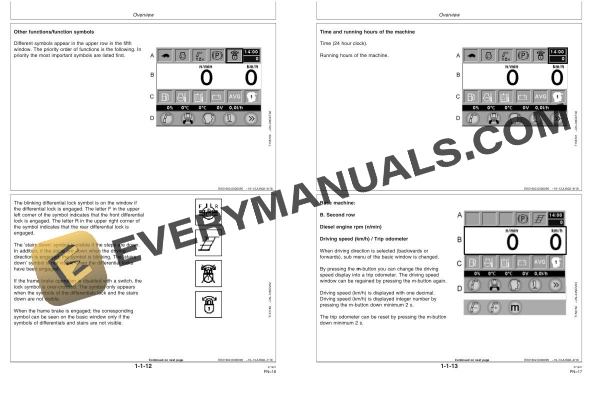
Description
-
Model List:
- Timberjack TMC Control System Forwarder ver 4.12
- 1. Contents
- 1.1. Overview
- 1.1.1. TMC System
- 1.1.2. General
- 1.1.3. Displays symbols
- 1.1.4. Window configuration
- 1.1.5. Basic menu window
- 1.1.6. Information on the status of the machine
- 1.1.7. Base machines runtime window in operation mode
- 1.1.8. ALS/Boom weight scale machines runtime window in operation mode
- 1.2. Settings
- 1.2.1. General
- 1.2.2. Boom settings
- 1.2.3. Adjustable boom functions
- 1.2.4. Adjustable ALS load space functions
- 1.2.5. Adjustable parameters
- 1.2.6. Adjusting the boom during operation
- 1.2.7. Quick adjustment of boom
- 1.2.8. Balance window
- 1.2.9. Copying the F and Sparameters
- 1.2.10. Base machine settings
- 1.2.11. Operator settings
- 1.2.12. Operator profiles
- 1.2.13. Copying the operators settings
- 1.2.14. Restore the factory settings for the operator
- 1.2.15. Operators name (if ALS/ Boom Weight Scale) )
- 1.2.16. Machine running hours
- 1.2.17. Calibration of control levers and pedals
- 1.2.18. Settings of the display
- 1.3. General Measurement Window
- 1.3.1. General
- 1.3.2. Boom function measurement window
- 1.3.3. Transmission measurement window
- 1.3.4. Frame steering and auxiliary equipments (AUX) measurement window
- 1.3.5. Alarm log
- 1.3.6. Engine alarm logs printouts )
- 1.3.7. Engine alarm list
- 1.3.8. Engine protection derate schedule
- 1.3.9. Table 1
- 1.3.10. Table 2
- 1.3.11. Active load space (ALS) measurement window
- 1.3.12. Module outputs and inputs
- 1.4. Service Window
- 1.4.1. General
- 1.4.2. Engine operating and transmission adjustments
- 1.4.3. Module program versions
- 1.4.4. Alarm settings window
- 1.4.5. Control of the system
- 1.4.6. General machine settings
- 1.4.7. Machine service code
- 1.4.8. Automatic module program updating button
- 1.4.9. Machine immobilizer button
- 1.4.10. Parameter locking
- 1.4.11. Engine control unit (ECU) info
- 1.4.12. Weighing sensor measuring window )
- 1.4.13. Calibrating the boom weight scale )
- 1.4.14. General
- 1.4.15. Stages of alarm
- 1.4.16. Alarm window
- 1.4.17. Active alarms
- 1.4.18. Alarm list
- 1.4.19. Alarm helps
- 1.4.20. Notices
- 1.5. Production Data
- 1.5.1. General
- 1.5.2. Setting up a work site
- 1.5.3. Deleting a work site
- 1.5.4. Weighing sensor measuring window
- 1.5.5. Window configuration of the boom weight scale machine
- 1.5.6. Window configuration of the ALS machine
- 1.5.7. Using the weight scale
- 1.5.8. Chart of loading procedure
- 1.5.9. Starting the load
- 1.5.10. Registering a load, boom weight scale
- 1.5.11. Registering a load, ALS
- 1.5.12. Cancellation a load
- 1.5.13. If the operator has forgotten to start a work site
- 1.5.14. If the load has not been registered
- 1.5.15. Weighing the load in unloading mode )
- 1.5.16. Resetting the grapple )
- 1.5.17. Printing production data
- 1.5.18. Saving data in files
- 1.5.19. Example printout
- 1.5.20. Calibrating the boom weight scale
- 1.5.21. Dynamic calibration of the weight scale
- 1.5.22. Start the reference loading
- 1.5.23. Loading / unloading window
- 1.5.24. Dynamic calibration factors
- 1.5.25. Calibration log
- 1.5.26. Register the calibration multiplier
- 1.5.27. Calibrating the boom weight scale
- 1.5.28. Reset the calibration multiplier
- 1.5.29. Calibrating the load in the ALS system
- 2. Page Numbers
- 2.1. Section 11