Description
-
Model List:
- TruSet Tillage
- 1. Introduction
- 1.1. Foreword
- 1.2. Trademarks
- 1.3. A Message to Our Customers
- 1.4. Recognize Safety Information
- 1.5. Understand Signal Words
- 1.6. Follow Safety Instructions
- 1.7. Prepare for Emergencies
- 1.8. Wear Protective Clothing
- 1.9. Practice Safe Maintenance
- 1.10. Handle Electronic Components and Brackets Safely
- 1.11. Avoid HighPressure Fluids
- 1.12. Check Hydraulic Hoses
- 1.13. Inspect Lift Circuit Hoses
- 1.14. Operate Safely
- 1.15. Use Safety Lights and Devices
- 1.16. Keep Riders Off Machine
- 1.17. Avoid Overhead Power Lines
- 2. TruSet Component Identification and Location
- 2.1. TruSet Components
- 2.2. AddOn Valve Components
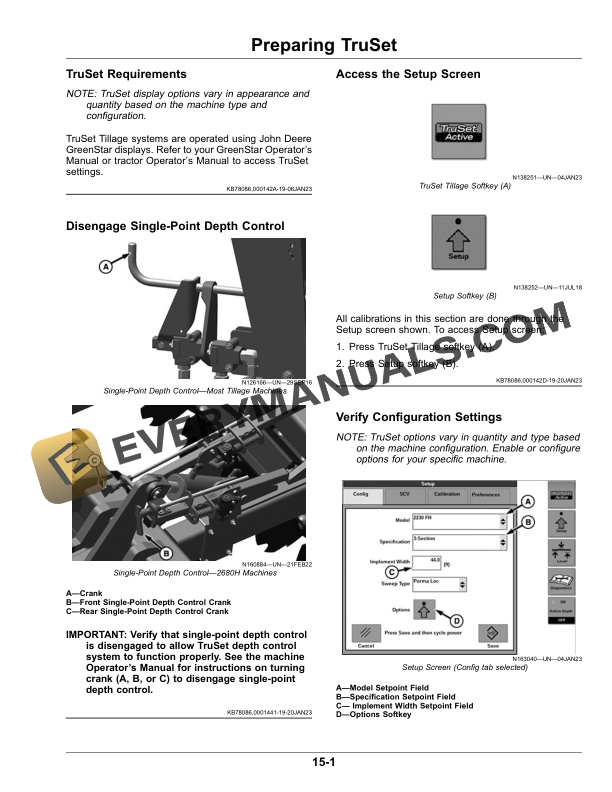
- 3. Preparing TruSet
- 3.1. TruSet Requirements
- 3.2. Disengage SinglePoint Depth Control
- 3.3. Access the Setup Screen
- 3.4. Verify Configuration Settings
- 3.5. Assign SCV Functions
- 3.6. Perform Machine Calibration
- 3.7. Perform TruSet Active Calibration
- 3.8. Perform Modular Calibration
- 4. Setting TruSet Preferences
- 4.1. Adjust Cylinder RePhasing Settings
- 4.2. Adjust TruSet Tuning
- 4.3. Set Task Controller
- 4.4. Configure TruSet Active
- 4.5. Select SCV Flick Mode
- 4.6. Adjust Incremental Step Size
- 4.7. Adjust Machine Upper Setpoint
- 4.8. Set Documentation Trigger
- 4.9. Choose Layout Manager
- 4.10. Understand Layout Functionality
- 5. Preparing to Operate TruSet in Field
- 5.1. Perform Field Calibration
- 5.1.1. Verify Displayed Shank Depth
- 5.2. Adjust Section LevelMachines with SidetoSide Option ONLY
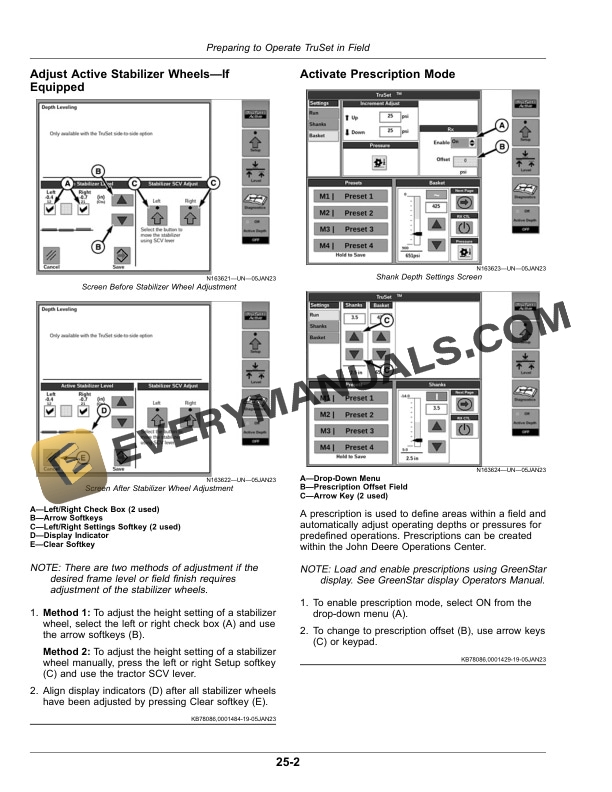
- 5.3. Adjust Active Stabilizer WheelsIf Equipped
- 5.4. Activate Prescription Mode
- 6. Operating TruSet
- 6.1. Make Initial Setpoints
- 6.2. Store and Use Preset Values
- 6.3. Understand SCV Functions
- 6.4. Engage TruSet
- 6.5. Adjusting Machine Depth
- 6.6. Enable Section Control
- 6.7. Download Software from Service ADVISORReference Only
- 7. Troubleshooting
- 7.1. Engage Rolling Basket Manual Mode
- 7.2. Bypass TruSet
- 7.2.1. Depth Control
- 7.2.2. Set Rolling Basket Pressure ManuallyIf Equipped
- 7.2.3. Manual Override of the StabilizersIf Equipped
- 7.2.4. Fore/Aft Leveling
- 7.2.5. Gang Angle
- 7.2.6. Hydraulic Wing Downforce
- 7.3. Troubleshooting ChartTruSet
- 7.4. Troubleshooting ChartTruSet
- 8. John Deere Service Keeps You on the Job
- 8.1. John Deere Parts
- 8.2. The Right Tools
- 8.3. WellTrained Technicians
- 8.4. Prompt Service