
Description
-
Model List:
- 2-Bag Material Collection System For 42 Inch Accel Deep Mower Decks on Z300 Series ZTrak
- 1. Introduction
- 1.1. Thank You for Purchasing a John Deere Product
- 1.2. Using Your Operators Manual
- 1.3. Special Messages
- 1.4. Service Literature
- 1.4.1. Order Service Parts Online
- 2. Contents
- 3. Product Identification
- 3.1. Product Compatibility
- 3.2. Record Purchase Information
- 4. Safety Labels with Text
- 4.1. Safety Label Location Material Collection System
- 4.2. Understanding the Machine Safety Labels
- 4.2.1. French or Spanish Safety Labels and Operators Manual
- 4.3. WARNINGCAUTION
- 4.3.1. WARNING
- 4.3.2. CAUTION
- 4.4. WARNING
- 4.5. CAUTION
- 5. Safety Labels without Text
- 5.1. Safety Label Location Material Collection System
- 5.2. Understanding the Machine Safety Labels without Text
- 5.3. Read Operators Manual
- 5.4. Read Safety in Machine Operators Manual
- 5.5. Parking Safely
- 5.6. Protect Children
- 5.7. Service and Maintenance
- 5.8. Disposing of Waste Products and Chemicals
- 6. Preparing Vehicle
- 6.1. Installing Proper Ballast
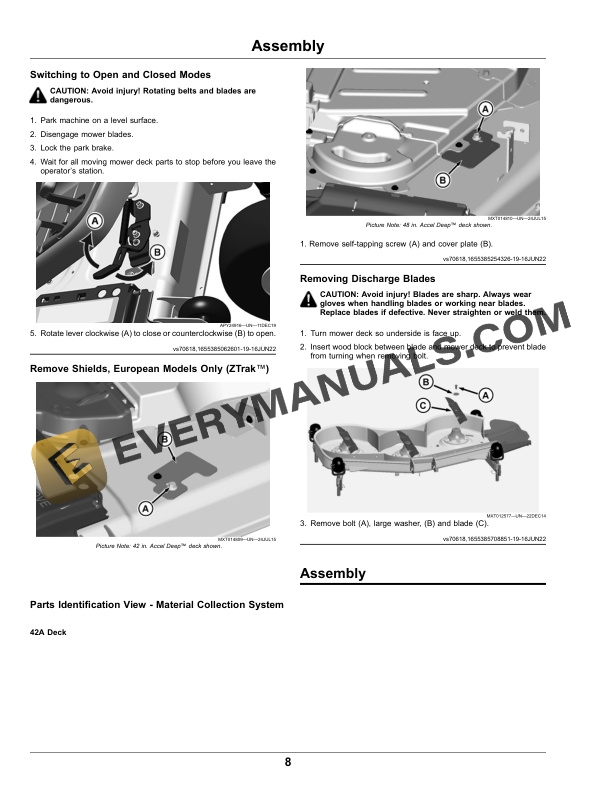
- 6.2. Switching to Open and Closed Modes
- 6.3. Remove Shields, European Models Only (ZTrak)
- 6.4. Removing Discharge Blades
- 7. Assembly
- 7.1. Parts Identification View Material Collection System
- 7.1.1. Deck
- 8. Installing
- 8.1. Installing Braces
- 8.2. Installing Rear Pins
- 8.3. Installing Hitch
- 8.4. Installing Front Ballast Weight Bracket
- 8.5. Installing Front Ballast Weight
- 8.6. Installing Toe Guard
- 8.7. Assemble Bagger Support Rod to CargO Mount Bracket
- 8.8. Installing MulchControl Discharge Plate
- 8.9. Installing Handle Assembly (Z3 Models)
- 8.10. Installing Blades
- 8.11. Assemble Hopper Top Assembly to Mounting Post
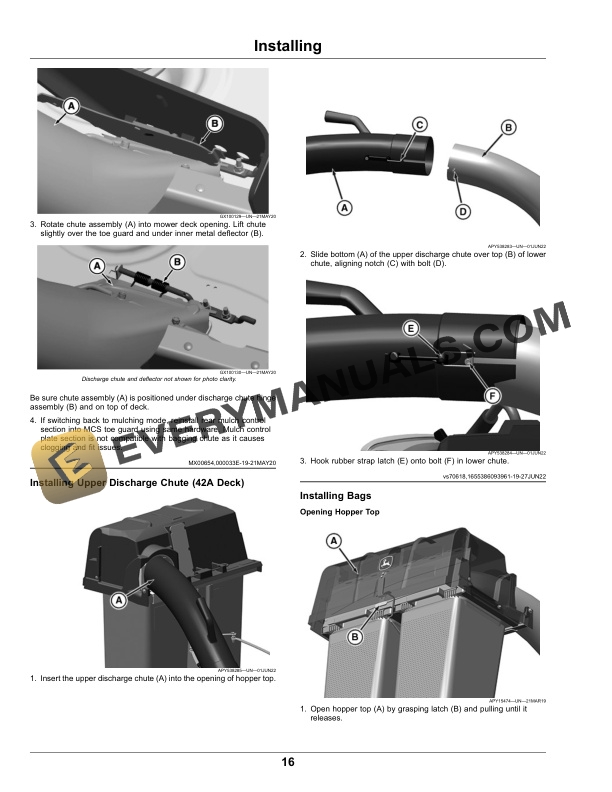
- 8.12. Installing MCS Lower Chute
- 8.12.1. MCS Chute Subassembly
- 8.12.2. Chute Installation without Mulch Control Baffle
- 8.12.3. Chute Installation with Mulch Control Baffle
- 8.13. Installing Upper Discharge Chute (42A Deck)
- 8.14. Installing Bags
- 8.14.1. Opening Hopper Top
- 8.14.2. Installing Bags
- 8.15. Installation With Mulch Control Kit
- 9. Operating
- 9.1. Getting the Best Performance from Your MCS
- 9.1.1. Bagging Tips
- 9.1.2. Providing Airflow For MCS
- 9.1.3. Filling Bags
- 9.2. Unplugging Mower or Material Collection System
- 9.2.1. Checking For Plugging While Driving
- 9.2.2. Removing Debris From Inspection Points
- 10. Removing and Storing
- 10.1. Removing MCS Assembly (42A Deck)
- 10.1.1. Removing Upper and Lower Discharge Chute
- 10.1.2. Removing Bags
- 10.1.3. Removing Support Rod and Hopper Top Assembly
- 10.1.4. Removing Mounting Post
- 10.2. Storing Attachment
- 11. Troubleshooting
- 11.1. Using Troubleshooting Chart
- 11.2. MCS Troubleshooting
- 12. John Deere Quality Statement
- 12.1. John Deere Quality




