John Deere DB60T 72 Row 20 Inch Twin Row Planter Operator Manual OMA101810
$30
- Type Of Manual: Operator Manual
- Manual ID: OMA101810
- Format: PDF
- Size: 5.0MB
- Number of Pages: 164
Description
-
Model List:
- DB60T 72 Row 20 Inch Twin Row Planter
- 1. Contents
- 1.0.1. Recognize Safety Information
- 1.0.2. Understand Signal Words
- 1.0.3. Follow Safety Instructions
- 1.0.4. Prevent Machine Runaway
- 1.0.5. Operate the Machine Safely
- 1.0.6. Keep Riders Off Machine
- 1.0.7. Avoid TipOvers
- 1.0.8. Prepare for Emergencies
- 1.0.9. Wear Protective Clothing
- 1.0.10. Handle Agricultural Chemicals Safely
- 1.0.11. Use Safety Lights and Devices
- 1.0.12. Light Enhancement Module
- 1.0.13. Transport Safely
- 1.0.14. Use a Safety Chain
- 1.0.15. Tow Loads Safely
- 1.0.16. Observe Maximum Transport Speed
- 1.0.17. Practice Safe Maintenance
- 1.0.18. Remove Paint Before Welding or Heating
- 1.0.19. Avoid Heating Near Pressurized Fluid Lines
- 1.0.20. Avoid HighPressure Fluids
- 1.0.21. Store Attachments Safely
- 1.0.22. Charge Row Marker Hydraulic System
- 1.0.23. Dispose of Waste Properly
- 1.1. Safety Signs
- 1.1.1. Replace Safety Signs
- 1.1.2. Safety Signs
- 1.2. Information Signs
- 1.2.1. Information Signs
- 1.3. Preparing Tractor
- 1.3.1. Use Your Tractor Operators Manual
- 1.3.2. Calculating Minimum Tractor Weight for Safe Road Transport
- 1.3.3. Check Tractor Hydraulic System
- 1.3.4. Tractor Requirements
- 1.3.5. Set Selective Control Valves8000 and 9000 Series Tractors
- 1.3.6. Low Pressure Case Drain Connection
- 1.3.7. Recommended Tractor Settings
- 1.4. Preparing Machine
- 1.4.1. Initial Use of CCS System
- 1.4.2. Before Use
- 1.4.3. Determine Tractor Drawbar and Planter Hitch Ring Compatibility
- 1.4.4. Tighten Wheel Bolts
- 1.4.5. Check Tire Inflation
- 1.4.6. Adjust Markers
- 1.5. Attaching Machine
- 1.5.1. Use Your Tractor Operators Manual
- 1.5.2. CCS Fan and VacuMeter Motor (Case) Drain Requirements
- 1.5.3. VacuMeter Hydraulic Motor and Variable Rate Drive Return Coupler
- 1.5.4. Check Hydraulic System
- 1.5.5. Use a Safety Chain
- 1.5.6. Attaching Warning Light Harness
- 1.5.7. Warning Lights and Slow Moving Vehicle Emblem(Style A)
- 1.5.8. Connect SeedStar Monitor Harness
- 1.5.9. Connect Frame Control Harness
- 1.5.10. Hydraulic Connection Recommendations
- 1.6. Detaching Machine
- 1.6.1. Detach Machine
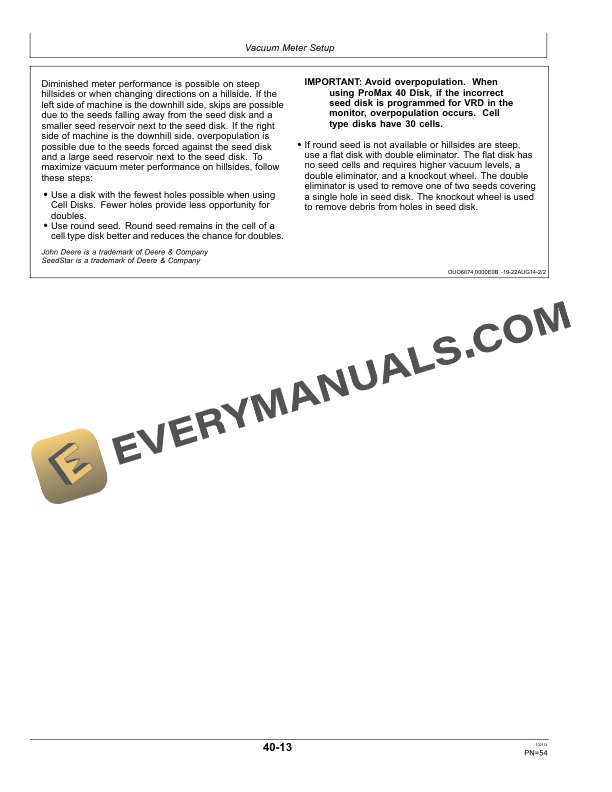
- 1.7. Vacuum Meter Setup
- 1.7.1. Vacuum Meter Operating Characteristics
- 1.7.2. Meter Settings
- 1.7.3. Change Vacuum Meter Brush
- 1.7.4. Adjust Vacuum Meter Baffle
- 1.7.5. Seed Knockout Wheel Operation
- 1.7.6. Install Knockout Wheel Assembly
- 1.7.7. Checking Seed Disk Cell
- 1.7.8. Install Seed Disk
- 1.7.9. Adjust Meter Hub
- 1.7.10. Operate Double Eliminator
- 1.7.11. Seed Disk Selection Guidelines
- 1.7.12. Select The Correct Field Corn Seed Disk For Optimum Performance
- 1.7.13. Seed Disk Recommendations For Crops Other Than Field Corn
- 1.7.14. Optimize Seed Spacing
- 1.7.15. Check Meter Performance
- 1.7.16. Install Hopper Extensions (MiniHopper Only)
- 1.8. Setting Vacuum Levels
- 1.8.1. Use of Talc Lubricant
- 1.8.2. Set Vacuum Level
- 1.8.3. Vacuum Level for Corn Using H136478, A43215, A50617 or A52391 Seed Disks
- 1.8.4. Vacuum Level for Oil Sunflower
- 1.8.5. Vacuum Level for Confectionary Sunflower
- 1.8.6. Vacuum Level for Sweet Corn
- 1.8.7. Vacuum Level Seed ChartFlat EdibleBean Disk
- 1.8.8. Vacuum Level for Peanuts
- 1.8.9. Vacuum Level for Sugar Beet Seed
- 1.9. Operating Central Commodity System
- 1.9.1. CCS Seed Delivery Operation
- 1.9.2. Operating Tank Lids
- 1.9.3. Tank Level Sensors
- 1.9.4. Fill Seed Delivery Tanks
- 1.9.5. Level Seed in CCS Tanks
- 1.9.6. Fill Row Unit Hoppers
- 1.9.7. Setting CCS Tank Pressure
- 1.9.8. Operating CCS SystemHeavily Treated Seed or Large Seed Corn
- 1.9.9. Operating CCS System When Planting Sorghum and Small Popcorn
- 1.9.10. Operating CCS System When Planting Standard Seed Sizes
- 1.9.11. Planting Seed Plots with CCS Systems
- 1.9.12. Partially Cleaning Out CCS Tanks
- 1.9.13. Clean Out CCS Tanks
- 1.10. Operating Machine
- 1.10.1. General
- 1.10.2. VacuMeter Hydraulic System Operation
- 1.10.3. Level Hitch
- 1.10.4. Unfold and Fold Planters
- 1.10.5. Adjust Planting Depth
- 1.10.6. Setting Closing Wheel Down Force
- 1.10.7. Center Closing Wheels
- 1.10.8. Adjust Closing Wheel Spacing
- 1.10.9. Disengage Meter Drive
- 1.10.10. Engage Meter Drive
- 1.10.11. Remove Vacuum Meter Assembly From Row Unit
- 1.10.12. Clean Out and Inspect Seed Hoppers and Vacuum Metering Units
- 1.10.13. Install Vacuum Meter Assembly on Row Unit
- 1.11. Checking Seed Population
- 1.11.1. Check Seed Population
- 1.12. General Attachments
- 1.12.1. General
- 1.12.2. SeedStar Integrated Pneumatic Down Force System
- 1.12.3. SeedStar Variable Rate Drive System
- 1.12.4. RowCommand Attachment
- 1.12.5. Walking Gauge Wheels
- 1.12.6. Pneumatic Down Force
- 1.13. Meter Lubrication
- 1.13.1. Use of Talc Lubricant
- 1.13.2. Use of WaxBased Lubricant
- 1.14. Machine Lubrication
- 1.14.1. Lubricate and Maintain Machine Safely
- 1.14.2. Perform Lubrication and Maintenance Procedures
- 1.14.3. Lubrication Symbols
- 1.14.4. Alternative Lubricants
- 1.14.5. Lubrication Intervals
- 1.14.6. Roller Chain Lubrication
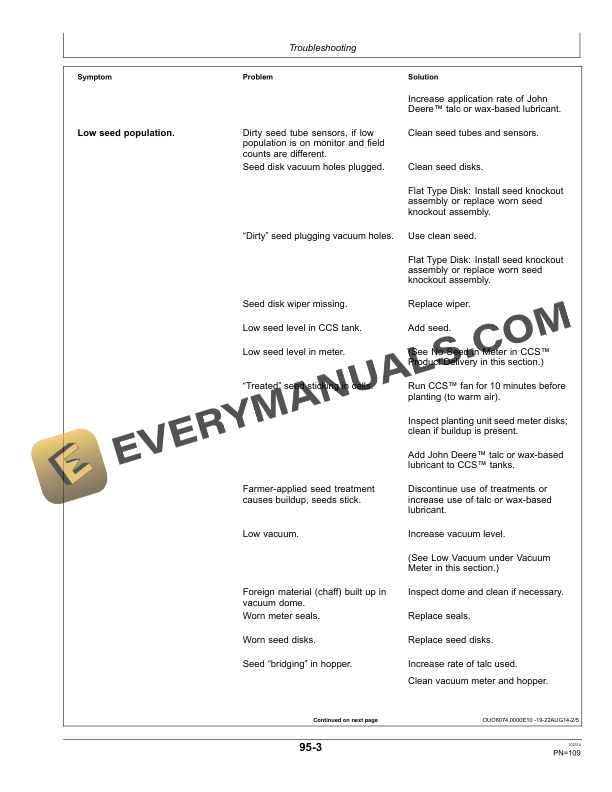
- 1.15. Troubleshooting
- 1.15.1. Row Units
- 1.15.2. MiniHopper Vacuum Meter
- 1.15.3. CCS Fan Assembly
- 1.15.4. CCS Product Delivery
- 1.16. Service and Adjustments
- 1.16.1. Service Intervals
- 1.16.2. Using Safe Service Procedures
- 1.16.3. Practice Safe Maintenance
- 1.16.4. Welding Near Electronic Control Units
- 1.16.5. Keep Electronic Control Unit Connectors Clean
- 1.16.6. Tighten Drive Chains
- 1.16.7. Service Tires Safely
- 1.16.8. Tighten Wheel Bolts
- 1.16.9. Adjust Main Frame Height
- 1.16.10. Adjust Wing Frame Height
- 1.16.11. Cleaning CCS Tank Level Sensors
- 1.16.12. Zeroing CCS Fan Pressure Gauge
- 1.16.13. Zero the Vacuum Gauge
- 1.16.14. Cleaning Row Unit Hopper Screen
- 1.16.15. Install and Remove Standard Flush Face Seed Tubes
- 1.16.16. Clean Seed Tube Sensor
- 1.16.17. Clean Vacuum System
- 1.16.18. Install New Vacuum Seal
- 1.16.19. Replacing Meter Shear Handle
- 1.16.20. Replace Seed Opener Blades and Seed Tube Guard
- 1.16.21. Inspect and Adjust Seed Opener Blades
- 1.16.22. Adjust Gauge Wheels
- 1.16.23. Establish the Zero Position on Double Eliminator
- 1.16.24. Setting CCS Row Unit Fan Switch
- 1.16.25. Bridged and Blocked CCS System
- 1.16.26. Chemical Meter Maintenance
- 1.16.27. Inspect Vacuum Motor
- 1.16.28. CCS Fan Gauge Filter
- 1.16.29. Drain CCS Fan Motor Oil Reservoir
- 1.16.30. Inspect and Service Vacuum Meter
- 1.16.31. Clean or Replace PneumaticCompressor Air Filter
- 1.16.32. Check Hydraulic Air Compressor Oil
- 1.16.33. Fill or Change Hydraulic Air Compressor Oil
- 1.17. Storage
- 1.17.1. Removing From Storage
- 1.17.2. Storing Machine
- 1.17.3. Pneumatic Down Force Storage Procedures
- 1.18. Specifications
- 1.18.1. Unified Inch Bolt and Screw Torque Values
- 1.18.2. Metric Bolt and Screw Torque Values
- 1.18.3. Specifications
- 1.18.4. Record Serial Number
- 1.18.5. Keep Proof of Ownership
- 1.18.6. Keep Machines Secure
- 1.19. John Deere Service Literature
- 1.19.1. Technical Information
- 1.20. John Deere Service Keeps You on the Job
- 1.20.1. John Deere Is At Your Service
- 2. Page Number
- 2.1. Section 05
- 2.2. Section 10
- 2.3. Section 15
- 2.4. Section 20
- 2.5. Section 25
- 2.6. Section 30
- 2.7. Section 35
- 2.8. Section 40
- 2.9. Section 45
- 2.10. Section 50
- 2.11. Section 55
- 2.12. Section 60
- 2.13. Section 65
- 2.14. Section 85
- 2.15. Section 90
- 2.16. Section 95
- 2.17. Section 100
- 2.18. Section 105
- 2.19. Section 110
Related products
-50%

Original price was: $20.$10Current price is: $10.

-50%

Original price was: $20.$10Current price is: $10.
-50%

Original price was: $20.$10Current price is: $10.
-50%

Original price was: $20.$10Current price is: $10.
-50%

Original price was: $20.$10Current price is: $10.

-50%

Original price was: $20.$10Current price is: $10.